In today’s increasingly wireless world, the freedom and convenience offered by a wireless keyboard are undeniable. No longer tethered by cables, users can enjoy a cleaner desk, greater flexibility, and the ability to connect to multiple devices seamlessly. However, navigating the landscape of wireless keyboards can be perplexing, especially when confronted with the primary connection technologies: Bluetooth and 2.4GHz radio frequency (RF) wireless. Understanding the fundamental differences between these options is crucial for making an informed decision that aligns with your specific needs, whether you’re a hardcore gamer, a diligent office worker, or a multitasker on the go. This guide will demystify the technologies, compare their strengths and weaknesses, and help you select the ideal wireless keyboard companion for your daily tasks and entertainment.
Wireless Keyboards: Overview and Benefits
A wireless keyboard is an input device that connects to a computer or other electronic device without the need for a physical cable. Instead, it transmits keystrokes and commands via radio signals, offering users unparalleled freedom of movement and a decluttered workspace. The two most prevalent wireless communication standards used in modern keyboards are Bluetooth and 2.4GHz RF, each employing distinct methods to establish and maintain a connection.
What is a Wireless Keyboard?
|
Our Picks for the Best Wireless keyboard in 2026
As an Amazon Associate I earn from qualifying purchases.
|
||
| Num | Product | Action |
|---|---|---|
| 1 | Logitech K400 Plus Wireless Touch TV Keyboard with Easy Media Control and Built-in Touchpad, HTPC Keyboard for PC-Connected TV, Windows, Android, ChromeOS, Laptop, Tablet - Black |

|
| 2 | Logitech MK270 Wireless Keyboard and Mouse Combo for Windows, 2.4 GHz Wireless, Compact Mouse, 8 Multimedia and Shortcut Keys, 2-Year Battery Life, for PC, Laptop - Rose |
|
| 3 | Soueto Wireless Keyboard with 7-Color RGB Backlit, Full-Size Computer Keyboard with Phone Tablet Holder, 2.4G Rechargeable Gaming Keyboard with Light Up Keys, Compatible with Mac, Windows (Black) |
|
| 4 | TECKNET Wireless Keyboards, Support 2.4G USB and Bluetooth - Full Size Computer Keyboards with Number Pad, Multi Device for PC, Desktop, Laptop, Tablet, 105 Days Standby Time, Black |
|
| 5 | Logitech Signature K650 Comfort Full-Size Wireless Keyboard with Wrist Rest, BLE Bluetooth or Logi Bolt USB Receiver, Deep-Cushioned Keys, Numpad, Compatible with Most OS/PC/Window/Mac - Graphite |
|
| 6 | Logitech K270 Wireless Keyboard for Windows, 2.4 GHz Wireless, Full-Size, Number Pad, 8 Multimedia Keys, 2-Year Battery Life, Compatible with PC, Laptop, Black |
|
| 7 | Arteck 2.4G Wireless Keyboard Stainless Steel Ultra Slim Full Size Keyboard with Numeric Keypad for Computer/Desktop/PC/Laptop/Surface/Smart TV and Windows 10/8/ 7 Built in Rechargeable Battery |
|
| 8 | Logitech MX Keys S Wireless Keyboard, Low Profile, Fluid Precise Quiet Typing, Programmable Keys, Backlighting, Bluetooth, USB C Rechargeable, for Windows PC, Linux, Chrome, Mac - Graphite |
|
| 9 | Logitech MK270 Wireless Keyboard and Mouse Combo for Windows, 2.4 GHz Wireless, Compact Mouse, 8 Multimedia and Shortcut Keys, 2-Year Battery Life, for PC, Laptop - Black |
|
| 10 | Bluetooth Air Mouse Remote Keyboard – Dual-Mode 2.4G & Bluetooth Mini Wireless Controller with 6-Axis Motion Control, Rechargeable Type-C, IR Learning for Android TV Box, HTPC, PC & Projector |
|
At its core, a wireless keyboard operates by converting your key presses into electrical signals, which are then encoded and transmitted wirelessly to a receiver connected to your device. This receiver decodes the signals, allowing your computer to interpret them as input. This wireless transmission relies on various technologies, with Bluetooth and 2.4GHz RF being the most widespread. Bluetooth is a standard designed for short-range communication between a wide array of devices, while 2.4GHz RF typically uses a dedicated USB dongle for a direct, low-latency connection.
Advantages of Wireless Keyboards
The shift from wired to wireless keyboards brings a host of benefits that enhance productivity, aesthetics, and user experience. The most immediate advantage is the significant reduction in cable clutter, leading to a much tidier and more professional-looking workspace. Beyond aesthetics, wireless keyboards offer superior mobility and flexibility, allowing users to type comfortably from various distances and positions without being restricted by cable length. Many models also boast the ability to seamlessly connect to and switch between multiple devices—such as a laptop, tablet, and smartphone—with the press of a button, greatly improving workflow for multitaskers. This versatility, combined with often ergonomic designs, contributes to a more comfortable and efficient computing experience.
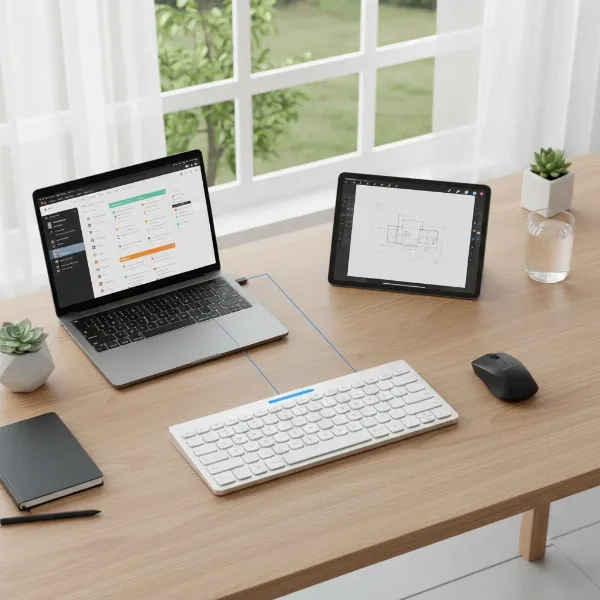 A sleek, minimalist wireless keyboard on a modern desk with a laptop and tablet, illustrating multi-device connectivity and a clean workspace setup
Types of Wireless Keyboards
Wireless keyboards come in various forms, each designed to cater to different user preferences and specific applications. Understanding these classifications can help narrow down the options when making a purchase.
By Usage Purpose
The intended use of a wireless keyboard often dictates its design, features, and underlying technology. For office professionals, ergonomic designs, quiet membrane or silent mechanical switches, and long battery life are often prioritized to ensure comfort during extended typing sessions. Gamers, on the other hand, typically seek wireless keyboards with ultra-low latency, high polling rates (often achieved with 2.4GHz RF), and customizable RGB lighting for an immersive and responsive experience. Multimedia users might benefit from keyboards that integrate dedicated media keys for controlling playback and volume, while mini or portable keyboards are favored by those who need a compact, lightweight solution for travel or working on the go.
By Connection Technology
The primary distinction in wireless keyboards lies in their connection technology. Bluetooth keyboards are ubiquitous, offering broad compatibility with almost any Bluetooth-enabled device without needing a separate dongle. They excel in multi-device pairing, allowing users to switch between several devices with ease. Conversely, RF (Radio Frequency) keyboards, typically operating on the 2.4GHz band, utilize a dedicated USB receiver (dongle) to establish a direct connection. This method is renowned for its exceptional stability and lower latency, often mirroring the performance of a wired connection.
By Switch Type
While not exclusive to wireless models, the type of key switch significantly impacts the typing experience. Wireless mechanical keyboards feature individual switches under each key, providing distinct tactile feedback, audible clicks, or smooth linear presses depending on the switch type (e.g., Cherry MX, Gateron). They are highly durable and preferred by many for typing accuracy and gaming responsiveness. Wireless membrane keyboards use a rubber dome layer beneath the keys, offering a softer, quieter typing experience at a more affordable price point. A middle-ground option, wireless mem-chanical keyboards (or hybrid mechanical), aim to emulate the feel of mechanical switches using a membrane base, offering a tactile bump at a lower cost.
Comparing Wireless Keyboard Technologies (Comparison Table)
Choosing between Bluetooth and 2.4GHz RF wireless connectivity largely depends on your priorities regarding performance, compatibility, and convenience. Here’s a detailed comparison of their key attributes:
| Feature | Bluetooth Keyboard | RF (2.4GHz) Wireless Keyboard |
|---|---|---|
| Stability | Good, can be susceptible to interference from other Bluetooth devices | Very high, stable, less prone to interference; robust connection |
| Latency | Higher (typically 20-40ms), suitable for general use and office tasks | Very low (often 1-5ms), nearly wired performance, ideal for gaming and critical applications |
| Compatibility | Broad across laptops, tablets, smartphones, and smart TVs without a dongle | Narrower, requires a USB-A port for the dedicated dongle, limits use with some mobile devices |
| Multi-Device | Excellent, designed for easy pairing and switching between multiple devices | Limited, typically connects to one device per dongle, though some offer multi-dongle support |
| Dongle Required | No, connects directly to built-in Bluetooth modules | Yes, requires a dedicated USB receiver (dongle) to function |
| Range | Shorter effective range (around 10-30 meters), can vary by Bluetooth version | Wider effective range (often exceeding 30 meters), better signal penetration through obstacles |
| Battery Life | Generally longer thanks to Bluetooth Low Energy (BLE) technology, designed for efficiency | Good, but can be impacted by high polling rates or extensive RGB lighting |
| Best Use Case | Multi-device users, mobile professionals, general office work, clean desk setups | Gamers, professionals needing critical low-latency input, desktop users prioritizing speed and accuracy |
“For tasks demanding split-second reactions like competitive gaming, 2.4GHz wireless is the clear winner due to its significantly lower latency. However, for everyday productivity and multi-device convenience, Bluetooth’s versatility is hard to beat.”
Wireless Keyboard Buying Guide
Selecting the best wireless keyboard involves more than just picking a connection type; it requires a holistic assessment of your needs, preferences, and how you interact with your devices.
Determine Your Needs
Before diving into specifications, consider your primary usage. Are you a data entry specialist requiring an ergonomic full-sized keyboard? A mobile worker who needs something compact and light for travel? Or a dedicated gamer for whom every millisecond counts? Your budget will also play a significant role, as prices can range from entry-level membrane models to high-end mechanical keyboards with advanced features. Think about the size and weight that suits your space and portability requirements, and any special features you might desire, such as programmable macro keys, extensive backlighting options, or dedicated media controls.
Các Yếu Tố Cần Quan Tâm
Once you’ve defined your needs, focus on these critical factors:
- Connection Type (Bluetooth, RF): As discussed, Bluetooth offers flexibility and multi-device support, while 2.4GHz RF provides superior speed and stability, particularly vital for gaming. Some advanced keyboards offer tri-mode connectivity, supporting both Bluetooth and 2.4GHz RF, allowing you to switch based on your activity.
- Switch Quality (if Mechanical): For mechanical keyboards, research different switch types (linear, tactile, clicky) to find one that matches your preferred typing feel and sound profile. Brands like Cherry MX, Gateron, and Kailh offer a wide range.
- Battery Life and Charging: Wireless keyboards are powered by batteries, so evaluate their expected lifespan and charging method. Rechargeable batteries with USB-C ports are common, offering convenience and reducing waste.
- Ergonomics and Build Quality: A comfortable design, whether flat, inclined, or split ergonomic, can prevent strain during long sessions. Look for sturdy materials and a robust build for durability.
- Thương hiệu và Đánh giá từ người dùng: Reputable brands often offer better support and quality. Check user reviews for real-world performance insights and common issues.
 A person typing comfortably on an ergonomic wireless keyboard in a modern office setting, showcasing healthy posture and productivity
Top Picks
While specific product recommendations can quickly become outdated, we can highlight categories of excellent wireless keyboards tailored for different users:
- For General Productivity & Office Work: Look for full-sized or tenkeyless (TKL) Bluetooth keyboards with comfortable, often quiet membrane or silent tactile mechanical switches. Prioritize ergonomic designs and multi-device connectivity for seamless switching between your computer and phone.
- For Serious Gamers: A 2.4GHz RF wireless mechanical keyboard with a high polling rate (1000Hz or more) and fast-actuating switches (linear or low-profile) is paramount. Customizable RGB lighting and dedicated macro keys are often desired features.
- For On-the-Go Professionals & Tablet Users: Compact, lightweight Bluetooth keyboards with multi-pairing capabilities are ideal. Consider models with integrated tablet stands or cases for enhanced portability and convenience.
Kết luận
The choice between a Bluetooth and a 2.4GHz wireless keyboard ultimately boils down to a thoughtful evaluation of your individual needs and how you plan to use your device. Bluetooth excels in versatility, offering broad compatibility and seamless multi-device connectivity, making it a stellar choice for general use, mobile professionals, and those who cherish a clutter-free aesthetic without a dongle. Conversely, 2.4GHz RF wireless technology stands out for its superior speed, stability, and ultra-low latency, rendering it indispensable for performance-critical tasks such as competitive gaming or precision-demanding work where every millisecond counts. Many modern wireless keyboards even offer the best of both worlds with tri-mode connectivity, allowing you to effortlessly switch between technologies. By considering factors like latency tolerance, device compatibility, battery life, and ergonomic preferences, you can confidently navigate the options and find a wireless keyboard that not only meets but enhances your digital lifestyle. Which wireless connection type do you find more essential for your daily workflow?
Câu Hỏi Thường Gặp
Is Bluetooth a type of wireless keyboard?
Yes, Bluetooth is a specific type of wireless communication technology commonly used in keyboards. It allows devices to connect over short distances without cables, making Bluetooth keyboards a subset of the broader category of wireless keyboards, which also includes 2.4GHz RF connections.
Which wireless keyboard is best for gaming?
For gaming, a 2.4GHz RF wireless keyboard is generally considered superior. Its dedicated USB receiver provides significantly lower latency and a more stable connection compared to Bluetooth, closely mimicking the performance of a wired keyboard, which is crucial for competitive gaming.
Do wireless keyboards need batteries?
Yes, all wireless keyboards require batteries to operate. They typically use either disposable AA/AAA batteries or built-in rechargeable lithium-ion batteries that can be charged via a USB cable. Battery life varies greatly depending on the keyboard’s features and usage.
Can I use a wireless keyboard with multiple devices?
Many wireless keyboards, especially Bluetooth models, offer multi-device pairing capabilities, allowing you to connect to and switch between several devices (e.g., laptop, tablet, phone) with a single button press. Some 2.4GHz RF keyboards also offer multi-device support with multiple dongles or advanced software.
What is the range of a wireless keyboard?
The typical range for wireless keyboards varies by technology. Bluetooth keyboards usually have an effective range of about 10-30 meters, depending on the Bluetooth version and environmental factors. 2.4GHz RF wireless keyboards often provide a wider range, potentially exceeding 30 meters, with better signal penetration.
Are wireless mechanical keyboards good?
Wireless mechanical keyboards are highly regarded for their tactile feedback, durability, and satisfying typing experience. When paired with a low-latency 2.4GHz wireless connection, they can offer exceptional performance for both typing and gaming, combining the benefits of mechanical switches with wireless freedom.
